Web-Based GUI
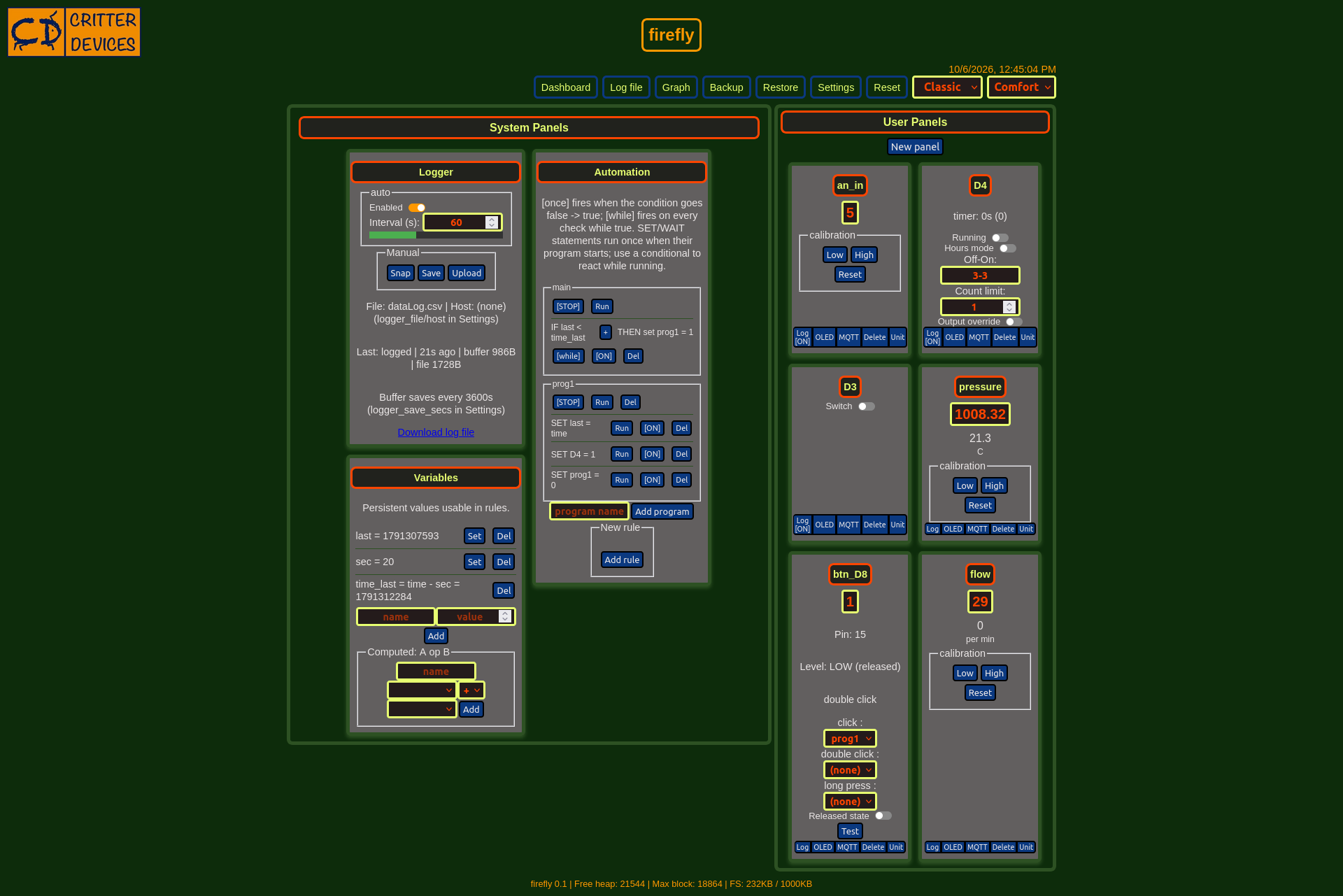
The
user interface for Firefly is a web page served by the ESP8266,
providing a rich and interactive experience. Key features include:
• Panel Creation: Users can create panels and define the type of
software interface attached to each panel. Panels are saved in memory
for persistent configuration.
• Data Logging: A logger interface allows users to log sensor
data into a file, which can be uploaded to a database and charted for
analysis.
• Interpreter: write automation as IF/THEN rules over any panel or
variable (for example IF temperature > 25 THEN heater = 0),
grouped into programs that can also run ordered SET and WAIT steps. Rules
fire once on a rising edge or continuously while true. This enables users
to automate actions based on sensor data.
• Calibration and Averaging: Each created panel has controls for
sensor calibration and the ability to average multiple values.
• OLED Display: The 128x64 OLED display can show values from
different panels, with user-configurable display options.
Firefly
is designed to be a versatile and powerful tool for anyone looking to
integrate and control various sensors and actuators with ease. Its
combination of hardware flexibility and a robust software interface
makes it suitable for a wide range of applications.
On top of that, the dashboard provides MQTT integration with Home Assistant auto-discovery, user-defined and computed variables, automation programs with IF/THEN rules, WAIT/SET statements and full backup and restore of your configuration.
Try it on any ESP8266 board
You don't need Firefly hardware to explore the firmware — it runs on any ESP8266 board with 4 MB flash (Wemos D1 Mini, NodeMCU and equivalents). Go to the Firmware Uploader page in Chrome or Edge, plug the board in over USB, click Connect, and choose Flash firmware + filesystem for a fresh start. The board will open a WiFi network called firefly: join it, open http://192.168.4.1, and enter your WiFi credentials in Settings. Then create panels and experiment — see Documentation for the guides.